
SSD Upgrade for Laptop & Desktop in Chennai – Is It Worth Upgrading?
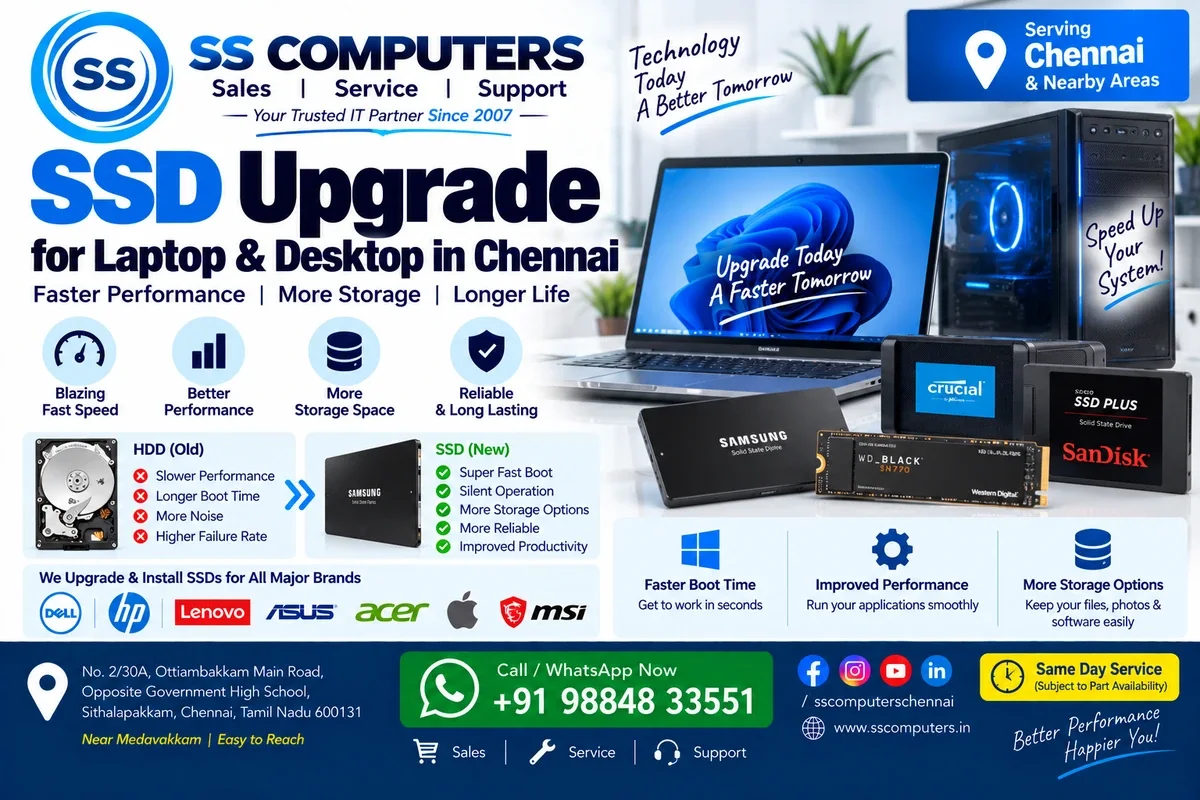
If your laptop or desktop takes a long time to start Windows, programs open slowly, or the computer feels sluggish during everyday use, you may be thinking about buying a new computer.
But replacement is not always necessary.
For many compatible computers, upgrading from a traditional hard disk drive (HDD) to a solid-state drive (SSD) can provide a noticeable improvement in everyday performance.
SS Computers provides SSD upgrades for laptops and desktop computers in Sithalapakkam, Chennai, serving customers from Medavakkam, Perumbakkam, Ottiambakkam and nearby South Chennai areas.
We have been providing computer and laptop sales and service since 2007.
What Is an SSD?
An SSD, or Solid-State Drive, is a storage device used for Windows, applications, documents, photos and other data.
Traditional hard drives contain moving mechanical components. SSDs use flash memory and have no moving parts.
This allows SSDs to provide much faster access to stored data than traditional hard drives in many everyday computing situations.
Signs Your Computer May Benefit From an SSD Upgrade
An SSD upgrade may be worth considering if your laptop or desktop:
- Takes a long time to start Windows.
- Is slow when opening applications.
- Has an older mechanical hard drive.
- Frequently feels sluggish during normal use.
- Takes too long to copy or access files.
- Has an ageing or failing hard drive.
- Is otherwise working well but feels slow.
Before upgrading, the complete computer should be checked because an SSD cannot solve every type of performance problem. Our computer repair and diagnostic support can help identify other possible causes of slow performance.
HDD vs SSD – What's the Difference?
One of the biggest differences between an HDD and SSD is how data is stored and accessed.
A traditional HDD uses spinning disks and mechanical components. An SSD stores information electronically using flash memory.
For many users, moving Windows and applications from an HDD to an SSD can result in:
- Faster Windows startup.
- Faster application loading.
- Quicker file access.
- Better overall responsiveness.
- Reduced storage-device noise.
- Lower mechanical wear compared with a traditional HDD.
The exact improvement depends on your computer's existing hardware and configuration.
Will an SSD Make My Old Laptop Faster?
In many cases, yes.
If an older laptop is still using a mechanical hard drive, upgrading to an SSD can make Windows and applications feel considerably more responsive.
However, overall performance also depends on the processor, RAM, operating system and condition of the computer.
For some older laptops, combining an SSD upgrade with additional RAM can provide a more useful performance improvement. Learn about compatible upgrade options through our laptop repair and service.
Will an SSD Make My Desktop Computer Faster?
Desktop computers can also benefit significantly from an SSD.
If Windows is currently installed on an older HDD, installing the operating system and frequently used applications on an SSD can improve boot and loading times.
Depending on the desktop configuration, the existing hard drive may sometimes be retained as additional storage after the SSD is installed. See our computer repair and desktop service for desktop upgrade assistance.
SATA SSD vs NVMe SSD
Different computers support different types of SSDs.
SATA SSD
A SATA SSD is commonly used to upgrade computers that previously used a traditional SATA hard drive.
It can provide a major improvement over a mechanical HDD for everyday computer use.
NVMe SSD
NVMe SSDs typically connect through an M.2 interface and can offer substantially higher data-transfer performance than SATA drives.
However, not every laptop or motherboard supports every M.2 or NVMe SSD.
Compatibility should always be checked before purchasing an SSD.
Which SSD Capacity Should You Choose?
The right SSD capacity depends on your storage requirements.
Common capacities include:
- 256GB
- 512GB
- 1TB
- 2TB and higher
If you mainly use Windows, office applications and a moderate number of files, a smaller SSD may be sufficient.
Users with large collections of photos, videos, games or business data may require more storage.
We can check your existing storage usage and help determine a suitable capacity.
Can Windows and My Data Be Moved to the New SSD?
Depending on the condition of the existing drive and system configuration, there may be different ways to move to a new SSD.
Options can include cloning the existing drive or performing a fresh operating-system installation.
The appropriate option depends on the condition of the old drive, available storage, software configuration and customer requirements.
If you have important files, always mention this before the upgrade begins. For fresh Windows installation or driver issues, see our computer software support.
SSD Upgrade or Buy a New Computer?
If your laptop or desktop is otherwise in good condition, an SSD upgrade can sometimes extend its useful life without the expense of purchasing an entirely new system.
Before replacing your computer, consider factors such as:
- Processor generation and performance.
- Existing RAM.
- Computer age.
- Overall hardware condition.
- SSD compatibility.
- Your everyday usage requirements.
An older computer with very limited specifications may still have performance limitations even after an SSD upgrade.
A proper assessment can help determine whether upgrading or replacing the computer makes more sense.
How Much Does an SSD Upgrade Cost in Chennai?
There is no single fixed price because the total cost depends on factors such as:
- SSD brand.
- Storage capacity.
- SATA or NVMe interface.
- Laptop or desktop compatibility.
- Installation requirements.
- Data migration requirements.
- Operating-system configuration.
Providing the exact laptop model or desktop motherboard details helps us check compatible upgrade options.
SSD Upgrade Near Medavakkam
If you're looking for an SSD upgrade near Medavakkam, SS Computers is located nearby in Sithalapakkam, Chennai.
We serve customers from Sithalapakkam, Medavakkam, Perumbakkam, Ottiambakkam and surrounding South Chennai areas.
Bring your laptop or desktop to our service center so we can check its current configuration and suitable SSD upgrade options. You can also book a service ticket to describe your requirements.
SSD & RAM Upgrade Together
If your computer has both a traditional hard drive and limited RAM, upgrading both components may provide a better improvement than upgrading either one alone.
The correct configuration depends on your system and how you use it.
We can check the existing RAM, storage and hardware specifications before recommending an upgrade.
Why Choose SS Computers?
SS Computers has been providing computer and laptop sales and service since 2007.
We provide SSD and RAM upgrades along with computer repair, laptop repair, storage replacement and other IT services, including IT maintenance and AMC support for businesses.
Our goal is to recommend an upgrade that is compatible with your computer and appropriate for your requirements. For pricing and current availability, contact SS Computers.