
Refurbished Laptop Buying Guide in Chennai | SS Computers
Buying a refurbished laptop can be a smart and cost-effective choice for students, working professionals, business owners and home users in Chennai. However, selecting the right laptop requires more than checking its price or appearance.
At [SS Computers](https://sscomputers.in/), Sithalapakkam, Chennai, we help customers understand laptop specifications, compare available configurations and choose suitable systems based on their budget and requirements.
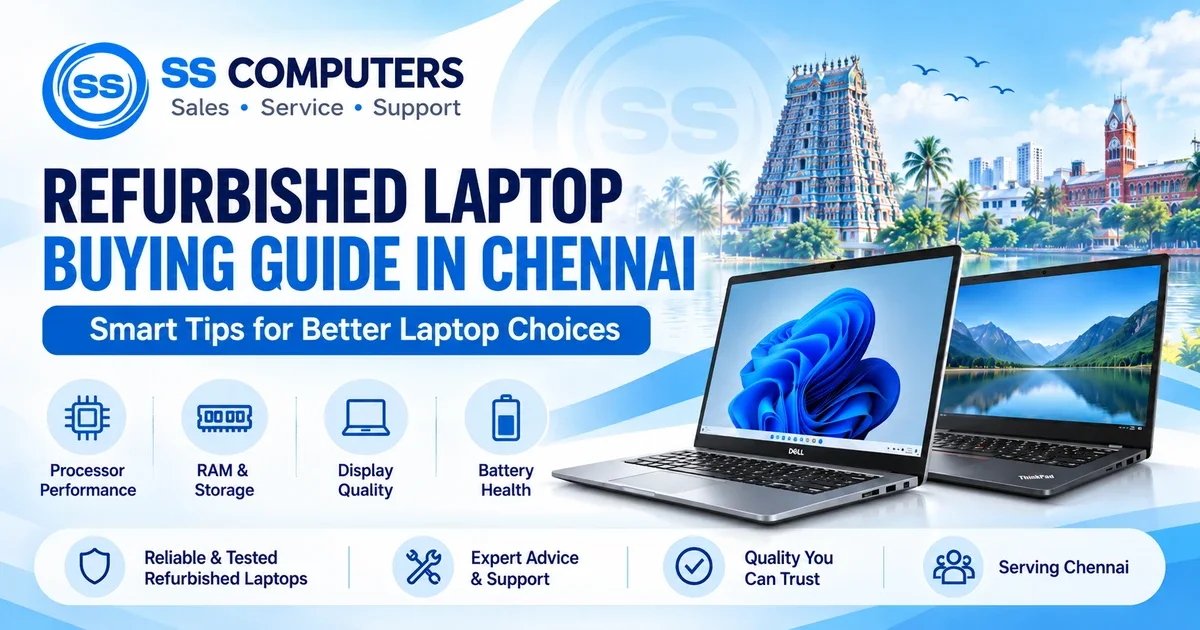
Before purchasing a refurbished laptop, here are 9 important things you should check to make a better buying decision.
1. Check the Processor and Generation
The processor is one of the most important components affecting laptop performance.
When choosing a refurbished laptop, don't rely only on labels such as Intel Core i3, i5 or i7. The processor's generation, model and capabilities also matter.
Important things to check:
- Intel Core or AMD Ryzen processor model
- Processor generation
- Number of cores and threads
- Performance for your daily applications
- Compatibility with your preferred operating system
For example, an older Intel Core i7 processor is not automatically faster than a newer Intel Core i5 processor.
SS Computers Tip: Choose a processor that matches your software requirements, workload and budget.
Explore available configurations on our Refurbished Laptop Sales in Chennai page.
2. Choose the Right RAM Capacity
RAM helps your laptop run multiple applications smoothly.
Insufficient RAM can affect multitasking performance, especially when using several browser tabs, video meetings, spreadsheets or other applications.
Recommended RAM considerations:
- 8GB RAM: Suitable for many everyday activities such as browsing, office documents and online classes.
- 16GB RAM: A comfortable option for heavier multitasking, programming and many professional applications.
- 32GB RAM or higher: May be useful for demanding professional workloads, depending on the software.
Check whether the RAM is upgradeable and whether the laptop has available memory slots.
SS Computers Tip: For regular office and business work, consider 16GB RAM when the price difference is reasonable and your applications can benefit from it.
3. Prefer SSD Storage for Better Performance
Storage type plays an important role in laptop startup speed, application loading and overall responsiveness.
A Solid State Drive (SSD) is generally faster than a traditional Hard Disk Drive (HDD).
Things to verify before purchasing:
- SSD storage capacity
- SSD health and condition
- SATA SSD or NVMe SSD support
- Storage upgrade possibilities
- Available free storage space
Common storage choices:
- 256GB SSD: Suitable for basic office work and light storage requirements.
- 512GB SSD: A practical choice for many students, professionals and business users.
- 1TB SSD: Useful for users who need more space for large files and applications.
SS Computers Tip: Check the SSD health before purchasing a refurbished laptop. A healthy storage drive is more important than capacity alone.
If you need assistance with laptop upgrades or troubleshooting, explore our Computer and Laptop Service in Sithalapakkam.
4. Inspect the Laptop Battery Health
Battery condition is especially important when purchasing a refurbished laptop.
Because refurbished laptops may have been used for several years, battery performance can vary significantly.
Check the following:
- Battery health and capacity
- Charging and discharging behaviour
- Actual battery backup time
- Charger compatibility
- Battery replacement availability
Battery life also depends on screen brightness, processor usage, running applications and other factors.
SS Computers Tip: Ask for the battery condition and, where possible, test the laptop while running on battery power.
Do not assume a refurbished laptop will provide the same battery life as a new laptop.
5. Examine the Display and Hinges
The laptop display and hinges should be inspected carefully before purchase.
Display problems can affect everyday usability and may involve costly repairs.
Important checks:
- Dead or stuck pixels
- Screen flickering
- Uneven brightness
- Lines or patches on the display
- Display resolution
- Loose or damaged hinges
- Physical damage around the screen frame
Open and close the laptop carefully to check the hinge movement.
SS Computers Tip: If you regularly attend online meetings, work with documents or watch educational content, prioritise a comfortable, clear display.
6. Test the Keyboard, Touchpad, Wi-Fi and Ports
Even a laptop with good specifications can be inconvenient if essential components are not working correctly.
Before purchasing, test the laptop's main functions.
Recommended hardware checklist:
- Keyboard and function keys
- Touchpad and mouse buttons
- USB ports
- HDMI or display output
- Wi-Fi connectivity
- Bluetooth
- Webcam
- Microphone
- Speakers
- Headphone connection
- Charging port
SS Computers Tip: Test the connectivity and accessories you regularly use. A working USB port, stable Wi-Fi and functional webcam can be essential for office and student activities.
7. Verify Windows and Software Compatibility
Operating system compatibility is another important factor when choosing a refurbished laptop.
Not every older laptop officially supports the latest Windows operating system.
Before buying, verify:
- Operating system version
- Windows activation and licensing
- Windows 11 hardware compatibility, if required
- Driver availability
- Compatibility with essential software
- Applicable security updates
For Windows 11, important requirements include supported processor hardware, TPM 2.0 and Secure Boot capability.
SS Computers Tip: Always confirm operating system compatibility before finalising an older-generation refurbished laptop.
If you use accounting, billing, design or other specialised software, check the application's official system requirements.
8. Ask About Warranty and Accessories
Warranty conditions are important when purchasing any refurbished computer.
Different sellers and laptop models may have different warranty terms.
Ask the seller about:
- Applicable warranty period
- Covered components
- Warranty exclusions
- Battery warranty conditions
- Charger availability
- Service and support arrangements
- Return or replacement conditions, if offered
Ensure that the laptop includes a suitable charger and any other accessories promised during the sale.
SS Computers Tip: Understand the warranty terms clearly before payment. Ask for applicable terms in writing.
At SS Computers, customers can contact our team to discuss available refurbished laptop options and applicable warranty conditions.
9. Match the Laptop Configuration to Your Requirements
The best refurbished laptop is not necessarily the most expensive model.
A suitable laptop should match your actual work, preferred applications and budget.
For Students
Look for a reliable laptop suitable for online classes, assignments, browsing and presentations.
For Office Professionals
Consider sufficient RAM, SSD storage, a comfortable display and good keyboard condition.
For Business Owners
Check compatibility with billing software, accounting applications, spreadsheets and business tools.
For Programmers
Consider processor performance, RAM capacity, SSD storage and operating system compatibility.
For Graphic Designers
Review the software's requirements for processor, graphics, RAM, display quality and storage.
SS Computers Tip: Tell us your budget, preferred brand and software requirements so we can help you compare suitable laptop configurations.
Where to Buy Refurbished Laptops in Chennai
SS Computers has been serving customers in Chennai since 2007, providing computer sales, repair, upgrades, networking and IT support services.
Customers from Sithalapakkam and surrounding areas, including Medavakkam, Perumbakkam, Sholinganallur, Semmancheri, Ponmar and Ottiambakkam, can contact us to enquire about refurbished laptops and available configurations.
We help customers understand important specifications and compare suitable options according to their requirements.
Useful SS Computers Links:
- Visit SS Computers Official Website
- Explore Refurbished Laptops in Chennai
- Browse Current Refurbished Laptop and Computer Products
- Computer and Laptop Service in Sithalapakkam
- Contact SS Computers
Final Thoughts – Choose Your Refurbished Laptop Wisely
A refurbished laptop can offer useful performance at a more affordable price when selected carefully.
Before making your decision, focus on processor generation, RAM, SSD health, battery condition, display quality, operating system compatibility and warranty terms.
Avoid choosing a refurbished laptop based only on its price or brand name.
A carefully selected laptop can deliver dependable performance for your everyday computing needs.
Contact SS Computers – Chennai
SS Computers – Sales | Service | Support
Established: 2007
Address: 2/274, Ottiambakkam Main Road, Sithalapakkam, Chennai.
Call: +91 98848 33551
WhatsApp: Chat With SS Computers
Website: https://sscomputers.in/
Contact SS Computers with your preferred laptop brand, budget and purpose. Our team can help you explore available refurbished laptop configurations and understand suitable options.
SS Computers – Smart Tips for Better Laptop Choices.